
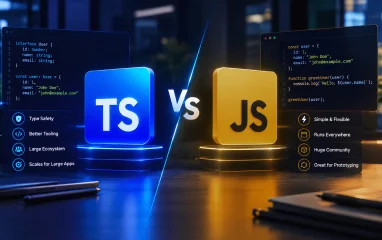
One of the most important engineering decisions any web development team will make in today's world is the decision to use TypeScript vs. JavaScript.
It's an architectural question that inevitably crops up whenever enterprise engineering leaders sit down with stakeholders to plan a new web app, SaaS product, or mobile backend: Should we use plain JavaScript for quick iteration, or should we use TypeScript to protect our codebase as we scale?
JavaScript has long been the industry standard for modern enterprise software and interactive web applications. However, there are a number of factors to consider when selecting the correct language, such as project scope and size, delivery schedule, and long-term maintenance objectives.
In this guide, we'll explain the core differences between JavaScript and TypeScript, explore performance mechanics, discuss team workflows in action, and offer a useful framework to help you decide on the right stack for your next product build.
How JavaScript is Different from TypeScript
Understanding the inner workings of how these two languages relate to each other helps determine which technology stack to use.

Understanding JavaScript: The Native Web Standard
JavaScript is an interpreted, lightweight, dynamically typed programming language. It supports all modern browsers, desktop shells, and server runtimes like Node.js or Deno.
JavaScript is dynamically typed. A variable can store a string of text one moment and a number the next without syntax errors during development. This versatility allows JavaScript to work amazingly fast when it comes to quick prototyping, simple scripts, and smaller-sized web builds.
Understanding TypeScript: The Strongly Typed Superset of JavaScript
TypeScript is an open-source, statically typed syntactic superset of JavaScript created by Microsoft. Being a superset means that all valid JavaScript code is also valid TypeScript code.
On top of the JavaScript language, TypeScript supports optional static typing, interface contracts, generics, and compile-time error checking. TypeScript needs to be transpiled to regular JavaScript before deployment, as web browsers and server runtimes cannot execute TypeScript files directly.
In the compilation process, all type annotations are erased, producing clean JavaScript for execution by the browser.
Core Feature Comparison
The main difference between JavaScript and TypeScript is where and how data contracts are enforced within your application, as well as where errors are caught.
| Feature | JavaScript | TypeScript |
|---|---|---|
| Type Checking | Dynamic: Variables are checked during program execution. | Static: Types are checked for correctness at compile time (during development). |
| Execution Environment | Runs directly on web browsers, Node.js, and edge runtimes. | Transpiles to regular JavaScript first, then executes. |
| Error Discovery | Runtime (bugs appear during live system operation). | Compile time (caught in your editor or build pipeline). |
| Tooling & IDE Support | Simple auto-completion and basic structural context. | Rich IntelliSense, jump-to-definition, and auto-imports. |
| Refactoring | Manual search and replace; higher risk of regressions. | Compiler-verified, automated refactoring across the entire codebase. |
| Setup & Configuration | No setup required; create a file and run it immediately. | Requires a configuration file (tsconfig.json) and build scripts. |
| Learning Curve | Easy and straightforward entry point into web development. | Moderate: Requires understanding static typing and interfaces. |
Performance Comparison: JavaScript vs. TypeScript
One of the most common concerns engineering directors face is potential application performance drops when adding a typed layer.
To evaluate performance accurately, it helps to separate runtime performance from build-time overhead.

1. Runtime Speed & Memory Usage
When it comes to runtime speed, there is no difference at all.
The TypeScript compiler strips all type annotations, interfaces, and alias declarations during compilation. In production, the code executed by web browsers or server runtimes is standard JavaScript, yielding identical machine performance.
TypeScript types exist solely during development. They do not inflate production JavaScript bundle sizes with unnecessary kilobytes, nor do they consume extra browser memory. In fact, explicit type declarations can help modern bundlers perform more efficient dead-code elimination (tree-shaking), occasionally resulting in smaller production files.
2. Build-Time Overhead
The one area where TypeScript introduces an extra step is build time. In large enterprise monorepos with thousands of files, type checking can add time to continuous integration (CI/CD) pipelines.
To maintain rapid development velocity, modern enterprise toolchains separate compilation from type checking:
- Fast Local Reloads: Transpilers (such as Vite, Esbuild, or SWC) strip types rapidly without full type validation.
- Type-Checking Pipelines: Dedicated processes (tsc) run type-checking in the background or during CI/CD to detect structural errors before deployment.
TypeScript vs. JavaScript for Enterprise Software
While language choice depends on context, industry trends strongly favor TypeScript for scaling multi-developer software products.
1. Catching Bugs Early
Research indicates that static type checking can catch up to 15% of common production bugs before code is merged.
In plain JavaScript, passing an unexpected parameter can trigger unhandled runtime crashes—such as the common TypeError: Cannot read properties of undefined. TypeScript flags these mismatched values directly inside the editor as you write code.
2. Living Documentation for Growing Teams
In large engineering departments, developers spend far more time reading code than writing it.
Understanding expected API data structures in plain JavaScript often requires digging through multiple files, external documentation, or printing runtime logs. In TypeScript, explicit interfaces serve as living contracts, allowing developers to inspect data structures instantly, streamlining onboarding and reducing ambiguity.
3. Safe Refactoring at Scale
Updating legacy business logic in JavaScript can be risky, as modifying a function signature might inadvertently break distant application modules.
TypeScript makes refactoring compiler-verified. The language server highlights every occurrence of a modified data structure or parameter across the codebase, enabling teams to modernize legacy code with confidence.
When Plain JavaScript is Still the Right Choice
Despite TypeScript's popularity, plain JavaScript remains an effective choice for specific development goals and scenarios:
- Early-Stage Prototypes & Hackathons: Writing complex type definitions can slow down early exploration when speed to market is the sole focus.
- Lightweight Websites & Landing Pages: Simple marketing sites, basic landing pages, or utility scripts rarely require compile-time type safety.
- Single-Developer Projects: Small apps maintained by a single developer may move faster without strict configuration overhead.
- Zero Build-Step Workflows: Applications designed to run directly in the browser without build tools or transpilation pipelines are natively suited for plain JavaScript.

Migrating from JavaScript to TypeScript
Transitioning an existing application to TypeScript does not require a full rewrite. Teams can adopt TypeScript incrementally:
- Configure Coexistence: Set up your build tool configuration to support .js and .ts files side by side.
- Define Core Contracts: Create explicit interfaces for primary data structures, database models, and external API responses.
- Convert File by File: Rename modules from .js to .ts incrementally, starting with core utilities and API clients before moving to complex UI components.
Strategic Decision Framework
Use this framework to align your tech stack with your engineering objectives:
Choose JavaScript If:
- You are building an MVP where iteration speed supersedes architectural overhead.
- The team consists primarily of developers mastering web development fundamentals before moving to typed abstractions.
- The project scope is small, fixed, or free of complex API integrations.
Choose TypeScript If:
- You are building complex, scalable web apps, multi-tenant SaaS products, or enterprise backends.
- Multiple developers collaborate on shared codebases, state management layers, and internal APIs.
- The application requires long-term maintenance, regular refactoring, and continuous feature additions.
- You want type errors automatically caught during continuous integration builds.
How Kellton Powers Modern Web Architecture
Selecting the right language for enterprise applications is only the first step in building high-performing software. Creating reliable APIs, optimizing state management, streamlining CI/CD workflows, and ensuring cloud scalability are what drive long-term business impact.
Our engineering teams at Kellton partner with organizations across the US to build, scale, and modernize digital platforms. Whether migrating legacy JavaScript systems to TypeScript, building new SaaS products, or accelerating engineering velocity, we deliver production-ready software designed for sustainable growth.
Want to evaluate your technology stack or plan your next application build? Reach out to Kellton's engineering team today.
If you checked even one of these boxes, it’s time to stop guessing. It’s time to start discovering.
Talk to Kellton's enterprise transformation team.

Frequently Asked Questions for Business Leaders
Q1. Can we migrate our existing JavaScript app to TypeScript later?
Yes. TypeScript was designed for gradual adoption. You do not need a full rewrite; your team can configure coexistence and convert modules file-by-file over time without halting active feature development.
Q2. Does TypeScript cost more to develop initially?
The initial development setup can take slightly longer due to configuration and interface definitions. However, for mid-to-large projects, this upfront investment pays for itself within months by drastically reducing post-launch bug fixing costs.
Q3. Is it hard to find developers who know TypeScript?
No. TypeScript is currently one of the most requested and widely adopted technologies in global web development. Most modern senior full-stack developers are proficient in both JavaScript and TypeScript.
Q4. Will using TypeScript make our software more secure?
Indirectly, yes. While TypeScript doesn't replace web security measures like encryption or firewalls, it eliminates entire classes of data-handling bugs before code goes live. By enforcing strict data contracts between your server and frontend, it prevents bad, missing, or malformed data from causing unexpected application crashes or data leaks.
Q5. How does choosing TypeScript impact our long-term maintenance costs?
It significantly lowers Total Cost of Ownership (TCO). Industry studies show that up to 80% of a software project's budget goes toward maintenance and bug fixes over its lifespan—not initial development. TypeScript reduces regression bugs and speeds up developer onboarding, which keeps ongoing engineering costs predictable and manageable as your company scales.